Insight

The Strategic Roadmap:
How PowerPoint Can Cause Harm

Most organisations use PowerPoint to share a strategic roadmap or growth strategy plan.

It’s easy to use and familiar to everyone. But does PowerPoint actually help you reach your strategic objectives and term goals, or does it cause more problems?


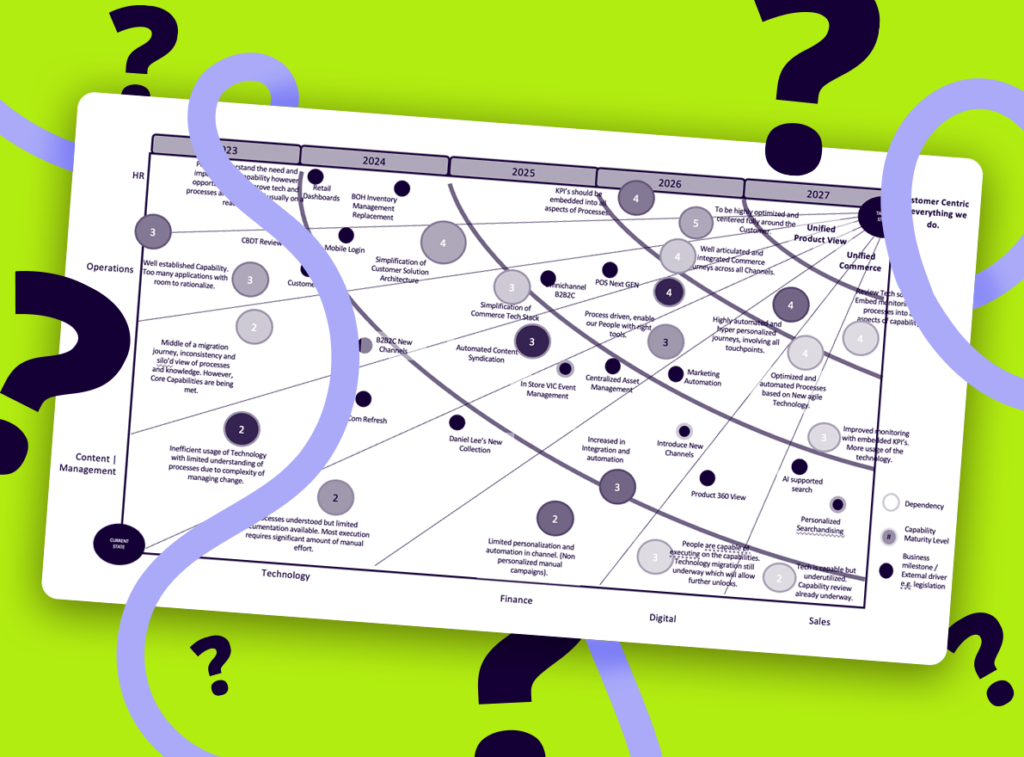
Agile Strategic Roadmap screenshot on a green background with question marks
Two people icons one in green and one in purple

1. The Transformation Failure Rate

Studies show that 70% of transformation programs do not meet their business objectives. Out of these failures, 62%are caused by poor communication. This rate is higher than failures caused by limited budget (17%) or limited time (23%). If your strategic roadmap is not clear, it can hurt your organisation strategy and stop you from achieving the strategic results you want. 

2. Transformation is Constant

Transformation is not a single event. Every time a new CEO or CIO steps in, they may start another wave of change. According to Harvard Business School, 54% of companies are in some kind of transformation at all times. This shows the need for effective strategic roadmaps that can adapt to ever-changing business conditions and help you reach your short term and long termterm goals. 

3. Powerpoint as the Default for a Strategic Roadmap

Even though PowerPoint has limits, it is still the main tool used for sharing strategic initiatives. Research in Forbes shows: 

  • PowerPoint presentations are not more effective than spoken talks without visuals. 
  • Showing your audience the exact words you are saying can lower how much they understand. 

A study at the University of Pittsburgh found that linear, non-interactive slides reduce engagement and learning. This style doesn’t work well for laying out complex organisation strategy or OKR alignment. 

an icon of a person in green, with a purple rectangle and a question mark over it

Key Problems with PowerPoint for Your Strategic Roadmap

Cognitive Overload

Research by Richard Mayer and Roxana Moreno says too much text on the screen, combined with a speaker’s voice, can create “cognitive overload.” Important business objectives or key outcomes may be missed. 

Lack of Personal Relevance

PowerPoint’s simple, linear path makes it hard for you to show each person why the plan matters to them. Adding more layers of information creates big files. Stakeholders may not see how the roadmap illustrates each person’s role in meeting strategic objectives. 

Icon of a green man with a purple gradient image with a tick mark

Solutions to PowerPoint’s Weaknesses

1. Use Tools for Engagement

Pick tools that let people interact with the content: 

  • Interactive Platforms: Prezi and Konexis let users click around and explore topics in their own order, depending on the level of detail they need. 
  • AI-Powered Tools: Beautiful.ai automates slide design to make your strategic roadmap more attractive without extra design work. 

Avoid dumping everything on one slide. Present your strategic roadmap step-by-step. Show smaller details after you cover the basics of your growth strategy or term goals. 

3. Make it Interactive

Interactive content lets people learn at their own pace and see how their tasks connect to the strategic vision. Research in the American Journal of Educational Research shows that interactive material helps people learn more than static slides. 

4. Simplify and Personalise

Create different roadmap views for different audiences: 

  • Executives: They want a high-level overview tied to strategic goals. 
  • Project Teams: They need more detail on daily tasks and deadlines. 

Make navigation simple. Give each group a screen or page that focuses on the key outcomes they care about. 

5. Focus on Relevance

When stakeholders look at your roadmap, they should see how it affects them right away. People always seek out the information that matters to them first. Put what’s most important—like OKR alignment—up front. 

6. Good Design Counts

AI tools can help create slides, but a real designer can make your presentation visually appealing and consistent with your organisation strategy. Strong design helps keep people focused on your strategic objectives instead of distracting them with cluttered visuals. 

Purple lightbulb with a green outer halo icon for konexis strategic roadmap tool

Choosing the Right Tools

Strategic Leadership:
Tools like Konexis show a complete view of transformation programs, which helps leaders align short term and long term term goals.

Project Teams:
 Programs like Asana or Trello list tasks and timelines, linking them to broader business objectives.

Dynamic Presentations:
 Prezi or AI-driven tools like Beautiful.ai work well for interactive or visually rich presentations, depending on the level of detail needed.

Recap

PowerPoint’s popularity can hide its flaws when you build an effective strategic roadmap. Switching to interactive and layered formats improves engagement and clarity. You don’t just get “prettier” slides—you create a better chance for your transformation program to succeed. 

By keeping it simple, interactive, and relevant, your strategic roadmap can stay at the center of your planning. This helps you keep OKR alignment, meet term goals, and deliver on your strategic vision. 

Try it for free

Experience the difference Konexis can make to your strategic communication. Get started and try our roadmap tool for free with a one month trial.

woman on phone discussing transformation maps